

- Webflow Forum
- The Webflow Forum is the official Q&A community run by Webflow. Searching is free with no account required; posting a question requires an account.
This article covers:
- The ways to get your Webflow questions answered
- How to make the most of the Webflow Forum
- What happened when I actually asked (a first-hand account)
Based on my real experience asking questions through Webflow's official channels. The question I actually posted:
The ways to ask Webflow questions

Use the Webflow Forum
Access the Webflow Forum from the official site and ask — think of it as Stack Overflow for Webflow.
The flow:
- Search whether your question already exists
- Create a Forum account
- Post the question
How much effort?
About 10 minutes from account creation to posting.
Questions that are easy to answer get answered: aim for questions answerable with "Yes" or "No" and your response rate climbs.
Pros and cons
Pros: pinpoint answers to your exact problem, on a site run by Webflow itself — trustworthy information. Webflow Experts patrol the forum answering actively.
Cons: no guarantee of a reply — the wait can leave you refreshing anxiously.
Contact official support
The official support page: Webflow support
You can reach Webflow HQ directly through the contact form — forum answerers sometimes recommend it themselves.
HQ contact suits:
- Feature requests not yet implemented
- Plan migrations ordinary users can't resolve
- Bugs
To find out whether an ordinary user can solve your problem, posting on the Forum first is the best opening move.
How much effort?
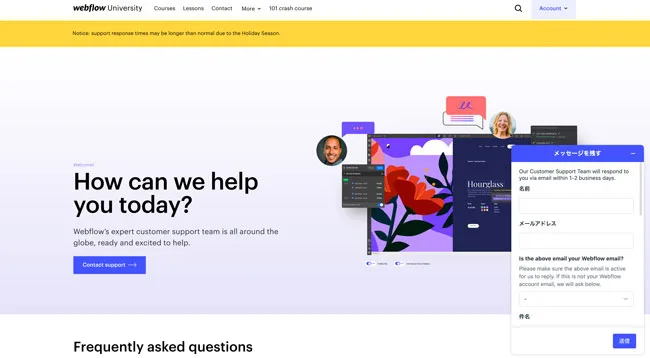
Email goes through the contact form at bottom right — a quick category selection and you're asking your question.
Pros and cons
Pros: answers straight from Webflow are guaranteed correct, and a reply almost always comes.
Cons: replies take time. Even rough phrasing gets answered as long as the meaning carries, so don't hesitate when you need it.
Ask on social media
Find someone fluent in Webflow on social media and ask directly — in your own language.
Pros and cons
Pros: your native language works.
Cons: unlike official channels, you judge the answer's reliability yourself. I take questions too — yes/no questions get instant replies via the contact form.
Making the most of the Webflow Forum
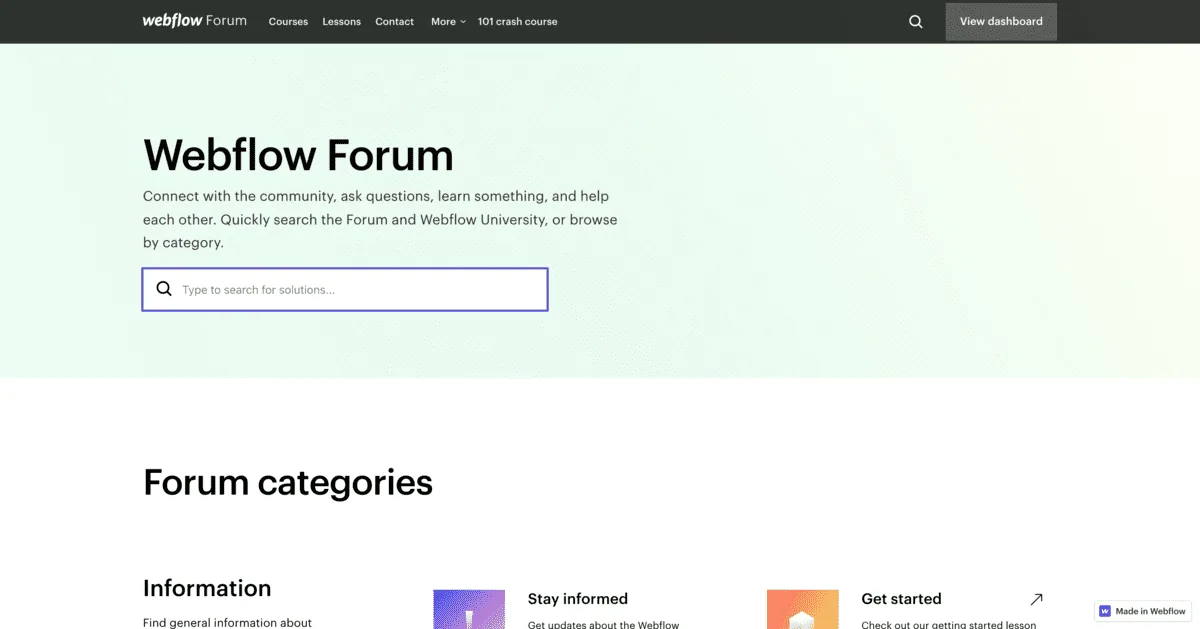
Search first
The Forum is free for everyone, and searching requires no account. When something stumps you, search here first.
>>>Webflow Forum
Posting a question
To ask anything you first need a Webflow Forum account.
Creating an account
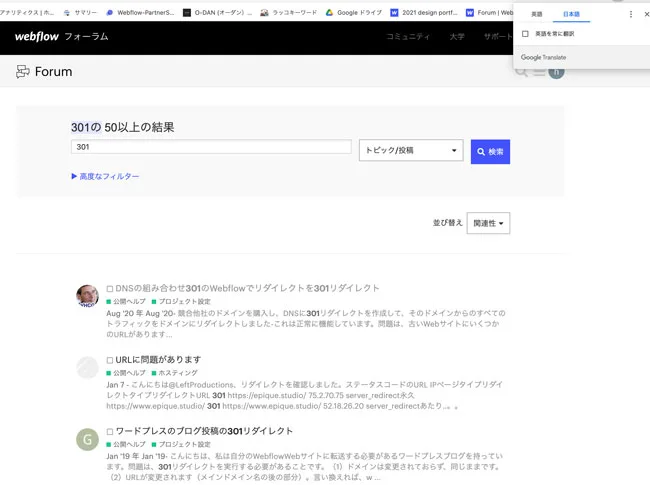
You can sign in easily with a Facebook, Google or Twitter account. Once you are in, the first emails ask you to read the guidelines — worth skimming.
Asking
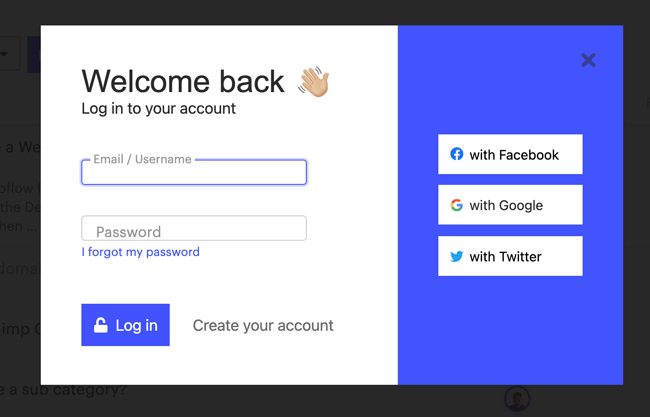
Before you post, check whether the same question already exists.
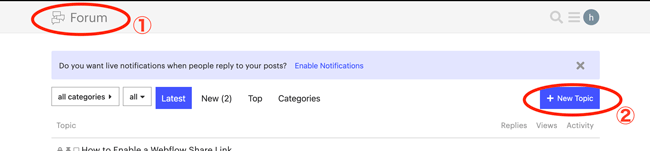
- Click Forum (1) to open the top page.
- Start a new post from (2).
Writing the post
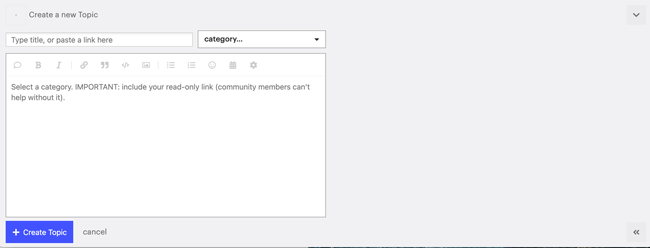
If English isn't your first language, saying so up front tends to get you gentler, more thorough explanations — it's not a reason to hold back.
Make clear what you want to know and pick the right category — category choice and ease of answering matter more than polish. Posts stay editable after publishing, so review yours once it is live and fix any typos.
Answers come mainly from other users. Some of them are Webflow Experts, who reply carefully and thoroughly — an answer from one carries more weight.
What happened when I actually asked
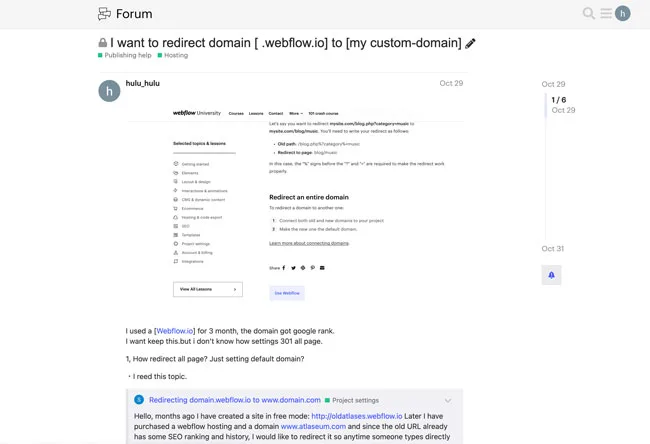
My real question:
My simple phrasing carried, and I was taught the method. The setting turned out fundamentally hard, so it went unsolved — but learning "this can't be done (easily)" is itself a step forward.
My approach: search for similar questions first, link the closest ones, quote Webflow's official docs, and frame the question for a yes/no answer. Linking similar posts eliminates "did you read this thread?" replies, and yes/no framing makes answering feel easy — raising your response rate. Getting no replies? Re-examine how the question is written.
Frequently asked questions
Is the Webflow Forum free?
Free for everyone. Searching needs no account; posting does. Facebook, Google, and Twitter logins work in seconds.
How do I raise my chances of getting an answer on the Forum?
Frame questions answerable with yes or no, search for and link similar existing questions, and choose the right category.
What should go to official support instead?
Feature requests not yet implemented, plan migrations ordinary users can't resolve, and bugs. Post on the Forum first to learn whether an ordinary user can solve it.
Does it matter if English isn't my first language?
Not much. Post in English, and saying up front that English isn't your first language tends to get you gentler, more thorough explanations. Machine translation handles the guideline emails fine.